Buying guide · Makers’ prices checked Nov 5, 2026
Smart thermostats for Airbnb hosts, compared.
Short answer. Pick the one that limits what guests can change. The Nest Learning Thermostat has the clearest guest lock: a PIN and a temperature range guests can move within. The ecobee Essential costs least and locks its settings with an access code. The ecobee Premium adds a room sensor and the wiring kit in the box. All three let you check and change the temperature from your phone between stays.
Three thermostats, three kinds of rental
Best value
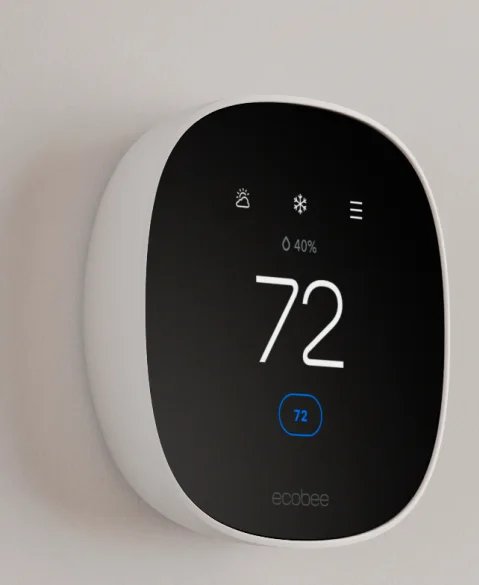
ecobee Smart Thermostat Essential
$139.99ecobee’s list price · Power Extender Kit sold separately
The lowest price of the three. An ecobee access code keeps the schedule and settings out of reach, and it works with Alexa, Google Assistant and Apple Home.
Watch out: Some homes need the Power Extender Kit, sold separately, to power it. No room sensor comes in the box, and ecobee’s documentation does not say the access code limits the temperature itself.
Check Smart Thermostat Essential on Amazon (opens in a new tab)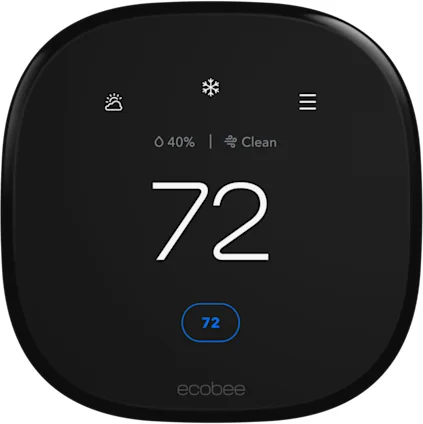
For bigger homes
ecobee Smart Thermostat Premium
$259.99ecobee’s price · SmartSensor and Power Extender Kit in the box
A SmartSensor in the box evens out a second bedroom or a cold upstairs, and the included Power Extender Kit covers most homes without a C wire. A built-in monitor flags poor air quality.
Watch out: Alexa is built in. Airbnb encourages hosts to disclose voice assistants and let guests switch them off, so say so in the listing and the welcome book.
Check Smart Thermostat Premium on Amazon (opens in a new tab)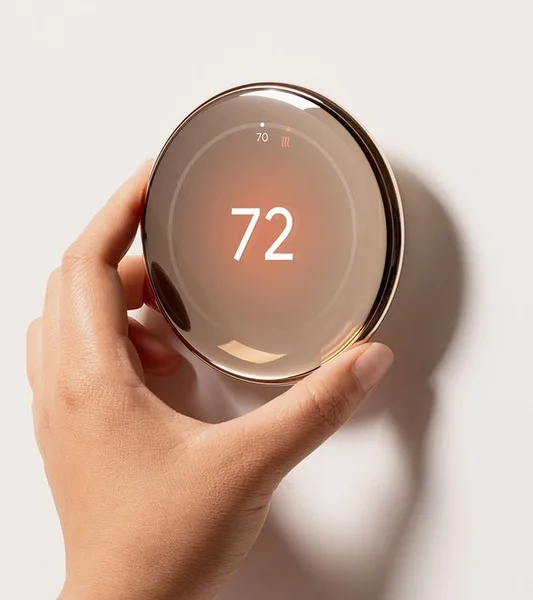
Best guest lock
Google Nest Learning Thermostat (4th gen)
$279.99Google’s launch price · Nest Temperature Sensor included
The clearest guest lock: a PIN plus a temperature range guests can move within, at least 5 °F wide when set from the app, or a single temperature when set on the thermostat itself. A temperature sensor comes in the box.
Watch out: A locked Nest still follows your schedule and Eco temperatures, even outside the range, so set those first. It is the most expensive of the three.
Check Nest Learning Thermostat (4th gen) on Amazon (opens in a new tab)
What guests can change, and what each one needs
| Thermostat | Guest limit | Room sensor | Power | Works with | Price |
|---|---|---|---|---|---|
| ecobee Smart Thermostat Essential | Access code for the schedule and settings | None included | C wire, or the Power Extender Kit in some homes | Alexa, Google Assistant, Apple Home | $139.99Check on Amazon: ecobee Smart Thermostat Essential (opens in a new tab) |
| ecobee Smart Thermostat Premium | Access code for the schedule and settings | One SmartSensor included | Power Extender Kit included for most homes without a C wire | Alexa built in, Siri with a HomePod | $259.99Check on Amazon: ecobee Smart Thermostat Premium (opens in a new tab) |
| Google Nest Learning Thermostat (4th gen) | PIN and a range guests can move within | One Nest Temperature Sensor included | Google says most heating and cooling systems; run its compatibility check | Google Home, Matter apps | $279.99Check on Amazon: Google Nest Learning Thermostat (4th gen) (opens in a new tab) |
Sources (7) · official pages, each with the date we checked it
Why a thermostat pays back in a rental
Guests leave the heat or the air conditioning running when they head out for the day, and sometimes when they check out. A smart thermostat lets you check from your phone, set a lower temperature between stays and warm the place back up before the next arrival.
Energy Star certifies smart thermostats on field data, and some utilities pay a rebate on certified models: enter your ZIP code in Energy Star’s rebate finder before you buy.
Set it up for guests
Give guests a comfortable range rather than a fixed number, for example 68 to 74 °F, and write it in your welcome book. Adjust it for your climate and the season.
Set the schedule and the away temperature before you lock it. Between bookings, lower the target from your phone, then raise it a few hours before check-in.
A thermostat with a voice assistant counts as a smart home device for Airbnb: disclosing it is encouraged, and guests should be able to switch it off.
Questions hosts ask
Can I stop guests from changing the temperature?
On a Nest, yes: a PIN lock lets guests move the temperature only inside your range. ecobee’s access code protects the schedule and settings; its documentation does not say it limits the temperature itself.
Do I need a C wire?
Often not. The ecobee Premium includes a Power Extender Kit for most homes without one, and the Essential needs that kit, sold separately, in some homes. For any model, run the maker’s compatibility check with a photo of your wiring first.
Can I see the temperature when nobody is there?
Yes. All three connect to Wi-Fi and show the current temperature and setting in their app, so you can check the empty home between stays.
Is there a rebate?
Some utilities offer one on Energy Star certified smart thermostats. Energy Star’s rebate finder lists the offers for your ZIP code.
Product images from their makers: ecobee · Google. Shown to identify each product; we have not photographed or tested them.
As an Amazon Associate, HostMetrio earns from qualifying purchases. Those commissions never change what we include or the order. How links work